Kyrio · Family movie night

Family movie night app — end the 20-minute Netflix scroll

It’s 7:15 on a Friday. Netflix is open. The kids want different things. Someone has already left the couch. Kyrio is the family movie night app that replaces the 20-minute scroll with a two-minute vote — everyone adds a pick, everyone votes, the room picks a winner and hits play.

  • Everyone adds candidates during the week, not at 7pm
  • One-tap voting — age-appropriate rankings for younger kids
  • Watched-list so the same three movies don’t keep winning
  • Free on iOS and Android

Updated May 3, 2026

Kyrio family movie night voting screen

End the 20-minute Netflix scroll

Streaming apps are optimised to make you scroll; they make money from engagement regardless of whether you actually watch anything. Family movie night is the opposite goal: finish the decision so the watching can start. Kyrio collapses the decision into two minutes and moves everyone back to the couch.

Everyone adds picks during the week (a trailer catches your eye on TikTok? Drop it in). By Friday night you already have six candidates, the kids vote, the parents veto, done.
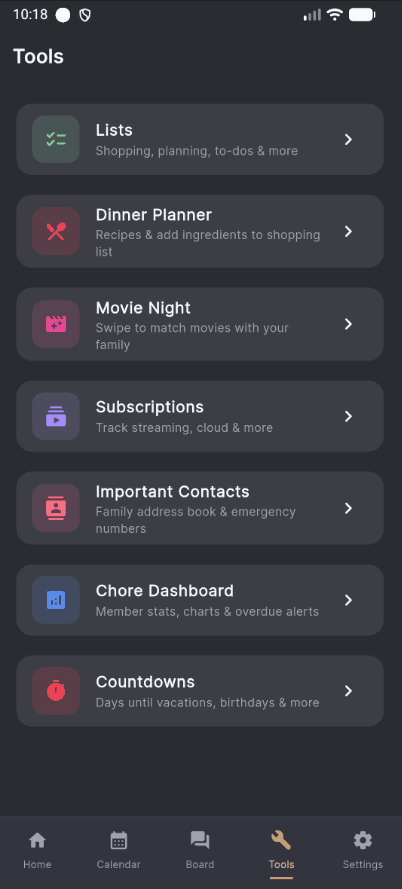
Voting on family movie picks in Kyrio

Age-appropriate voting, not a popularity contest

A 5-year-old voting 1–10 on Barbie doesn’t mean the family is watching Barbie. Kyrio weights votes sensibly: parents have a veto, younger kids vote on emoji-based interest, older kids and adults do a quick preference ranking. The output is a short-list the whole room can agree on.

Nobody “loses” a vote — that’s the point. The movie night app that kept working was the one that kept the 7-year-old happy with the outcome.

So the same three movies don’t keep winning

Every family has a handful of favorites that would win every vote if you let them. Kyrio keeps a watched-list and gently down-weights recently-watched picks so new candidates have a real chance. The Paddington rewatch is still allowed; it just has to compete fairly.

Pair with the rest of the family organizer and movie night slots straight onto the weekly calendar, so the kids know it’s coming and can build anticipation.

Streaming-agnostic — works with any service

Kyrio doesn’t lock you into a single streaming service. Add movies from Netflix, Disney+, Max, Apple TV, Prime, or a DVD shelf. The voting happens in Kyrio; the playback happens wherever the movie actually is.

For countries with VPN-hopping families, you can tag availability per kid per service so nobody votes for a pick that’s not actually reachable on your plan.

How Kyrio compares for this

FeatureKyrioFamilyWallCozi
Movie night pickerSwipe-to-match movie picker so the family actually agrees on something.YesNoNo
Shared family calendarIn-app calendar with per-member color coding and events.YesYesYes

Color-coded per-member events, the flagship Cozi feature.

Family message boardShared board for notes, announcements, and quick communication.YesYesNo
Usable free tierA free tier that is usable long-term, not just a 7-day trial.YesYesYes

Click any competitor name for the full feature-by-feature comparison.

Frequently asked questions

Is this free?
Yes. Adding picks, voting, watched-history — all free on iOS and Android. The paid add-ons in Kyrio don’t touch movie night.
Does it connect to Netflix or Disney+?
Not via a direct API (those don’t really exist for consumers). Kyrio tracks the title and the streaming service as a tag; playback happens in whichever app actually has the movie. Most families find this is faster than any deep-integration attempt.
Can the kids add movies themselves?
Yes. Each kid can add candidates to the pool during the week. Parents can moderate before the vote opens (useful for “we are not watching that again” or age-rating filtering).
What ages does movie night work for?
Ages 4 and up. Younger kids vote via emoji; older kids rank. The presentation adapts per member so the 5-year-old isn’t confused by a preference-ranking slider.
Can it pick a movie if nobody can agree?
Yes. There’s a “just decide for us” tiebreaker that picks the top-voted candidate without parents needing to rule. Useful when the kids are refusing to compromise and everyone just wants to start.
Does it suggest movies based on what we’ve watched?
There’s an optional AI suggestion (bring-your-own API key, no surcharge) that pulls from the watched-list and the kids’ ages. Most families don’t need it — the user-submitted pool is usually more interesting than a suggestion engine.
Can we use it for TV shows too?
Yes. Movies and TV seasons are interchangeable in the voting pool. Families often schedule “show night” for a weekly series and keep movie night for standalone films.